Sleep and wake windows
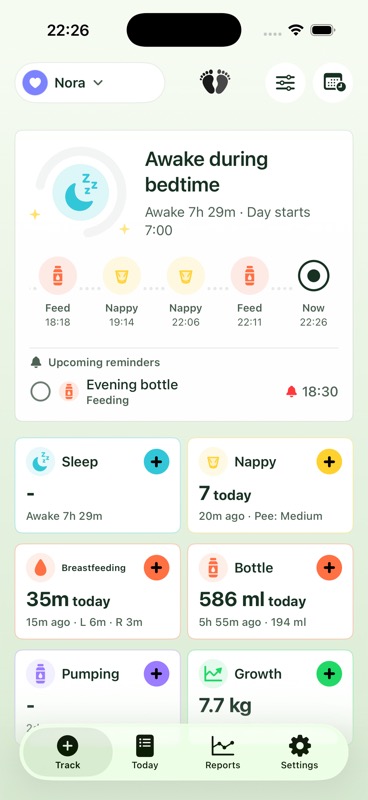
Run sleep timers, review naps and night sleep, and see planning suggestions calculated from age and recent local history.
A calm, capable baby care tracker that does not ask you to create an account. Your family’s data stays on your devices and, when you choose to share, in your iCloud.
Designed for iPhone and iPad. Screenshots show demo data. App availability and final features may change before release.
Private by architecture
Most shared apps create an account and copy your family’s data to the developer’s database. Baby Tracks uses the Apple Account already on each caregiver’s device and Apple’s CloudKit sharing instead.
Cloud Heavy Industries Limited does not receive a duplicate of your care records, build a family profile, or operate a server that stores them.
How Baby Tracks handles data →One place for the care day
Log the everyday details quickly, then turn that history into a clear timeline, practical reports, and patterns you can actually use.
Run sleep timers, review naps and night sleep, and see planning suggestions calculated from age and recent local history.
Record breastfeeding sides, bottles, solids, amounts, pumping sessions, appetite, and useful notes.
Keep quick records with the detail you want, using regional terminology that feels natural to your household.
Bring measurements, activities, notes, photos, and the moments worth remembering into the same history.
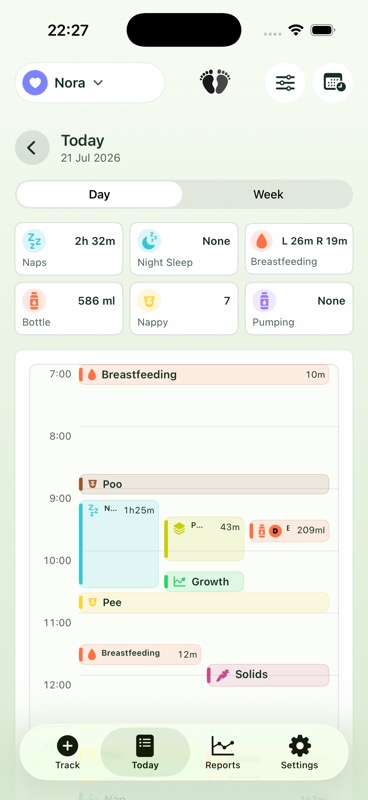
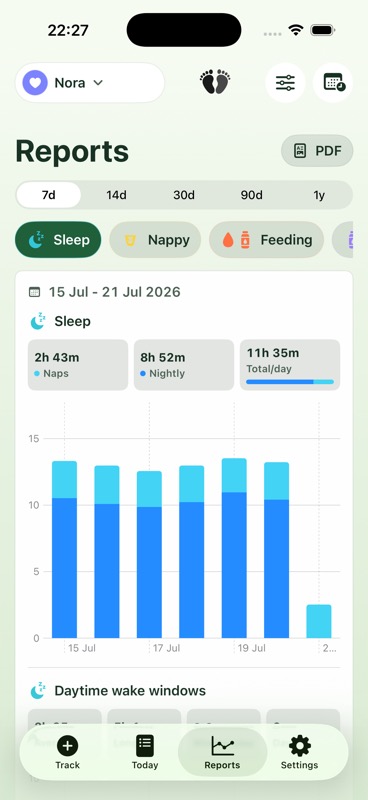
Compare date ranges, review each day’s care in a clear timeline, and export a PDF when you want to share the record.
See recent care at a glance and keep an active timer close without repeatedly opening the app.
A clearer picture
A high-contrast interface, adaptable themes, and the depth to move from a quick log to a longer-term view.

Questions worth asking
No. Baby Tracks does not have a developer-run account system. Optional sharing relies on the Apple Account and iCloud already configured on each device.
No. The app uses local storage and Apple’s private or shared CloudKit databases. It does not upload care data to a database operated by Cloud Heavy Industries Limited.
The household owner invites specific caregivers through Apple’s CloudKit sharing system. Accepted participants can access the shared household according to their permissions.
No analytics, advertising, cross-app tracking, or third-party crash-reporting SDKs are configured in the planned launch version.
Yes. Baby Tracks can prepare user-initiated CSV and JSON exports, with a warning before sensitive family data leaves the app. Reports can also be exported as PDFs.
Yes. Optional app lock uses Face ID, Touch ID, or the device passcode through iOS. Baby Tracks does not receive your biometric data.
Coming Soon